Mikoshi
open source
What it is
A mod menu for Cyberpunk 2077, built on Cyber Engine Tweaks for game 2.5. It started with one stuck quest: Letter of the Law would not register that I had gathered what it needed. The usual fix is a console command from a community list, and four of the ids on those lists turned out to be wrong, including one that reads perfectly but belongs to a different quest in a different district.
It is named after Mikoshi, the Arasaka vault in Cyberpunk 2077 that holds the engrams Soulkiller takes: a fitting name for a tool whose whole job is reading what the game is holding.
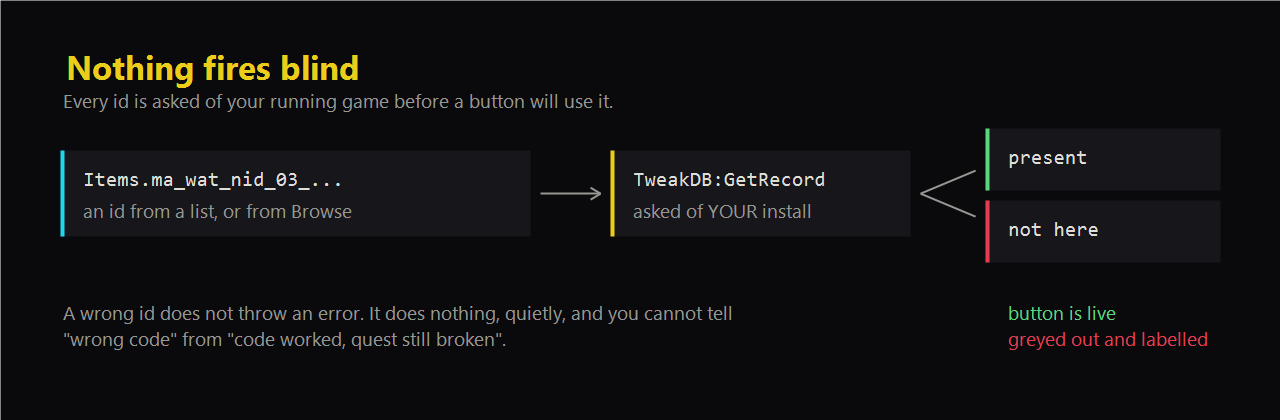
A wrong id does not throw an error. It does nothing, quietly, so you cannot tell "wrong code" from "code worked, quest still broken". Mikoshi is built so that never happens.
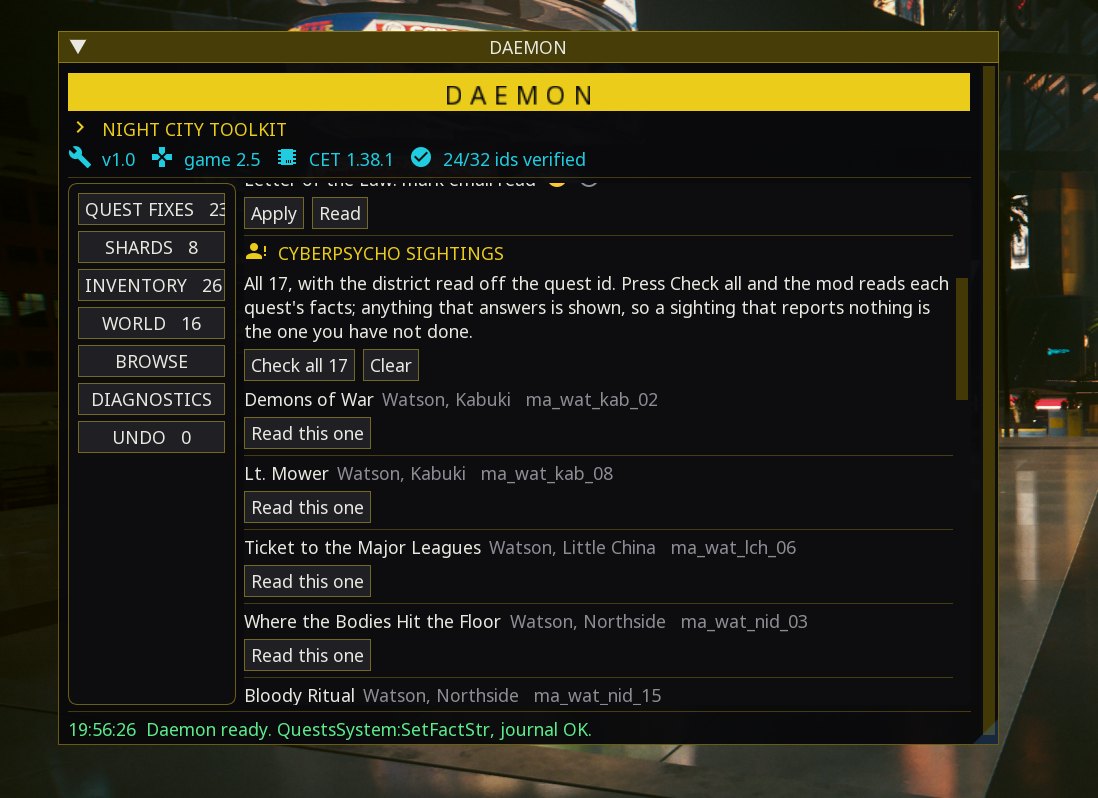
In game, on the Quest Fixes tab. Each fix reads the save first, so one that is already applied says so and cannot be pressed again.
Nothing fires blind
Every item id is checked against the game's own database when the mod loads. Anything your install does not recognise is greyed out and labelled instead of fired into nothing. Functions cannot be checked that way, so they are probed against the game first, and where neither is possible the menu says it could not verify rather than implying success.
What it does
- Quest fixes that read the old value before writing, so every change can be reversed from the Undo tab, plus a checklist of all 17 cyberpsycho sightings with their districts.
- Shards: the conversation shards that fail to spawn on a body, the usual reason a sighting will not complete.
- Inventory and world: eddies, points, ammo and crafting components; time of day, a nudge upward for when V falls through the floor, and teleports with saved waypoints.
- Browse: reads every clothing, weapon and vehicle record out of your own running game (about 2,000, 1,800 and 1,400 on a 2.5 install), with search, readable names and a filter for what V can actually obtain.
- Nine palettes, each one a whole window design: every surface, grey and status colour is derived from three colours.
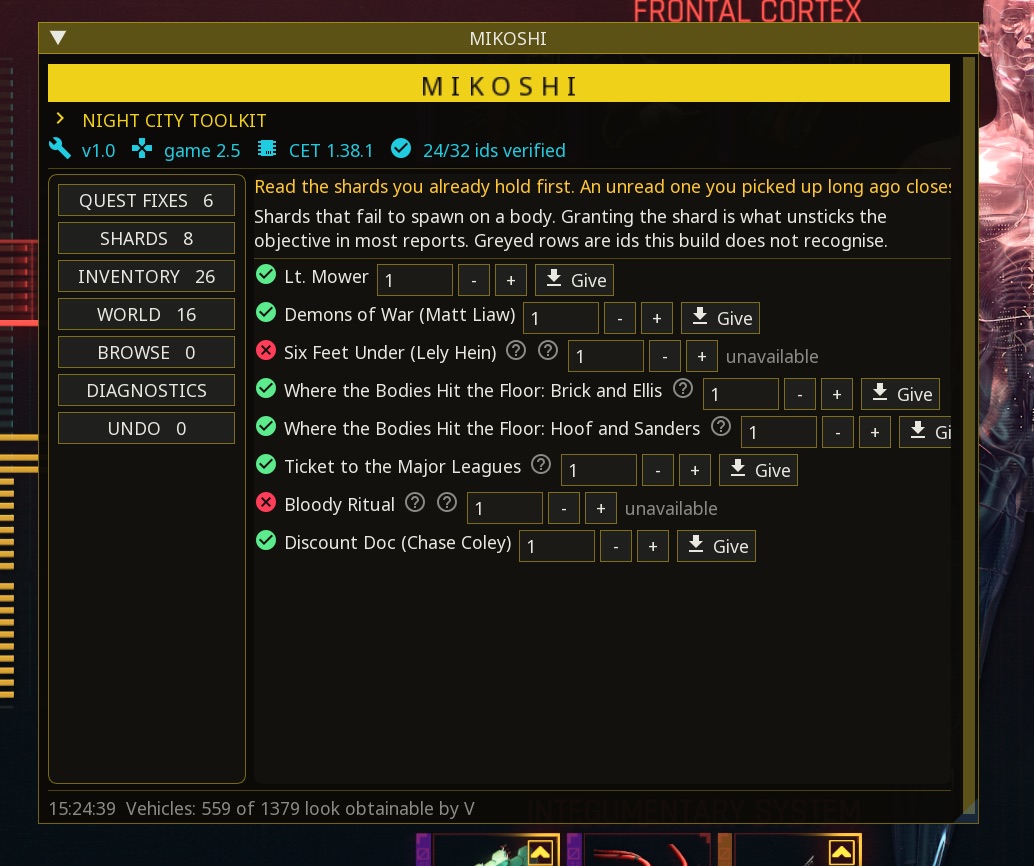
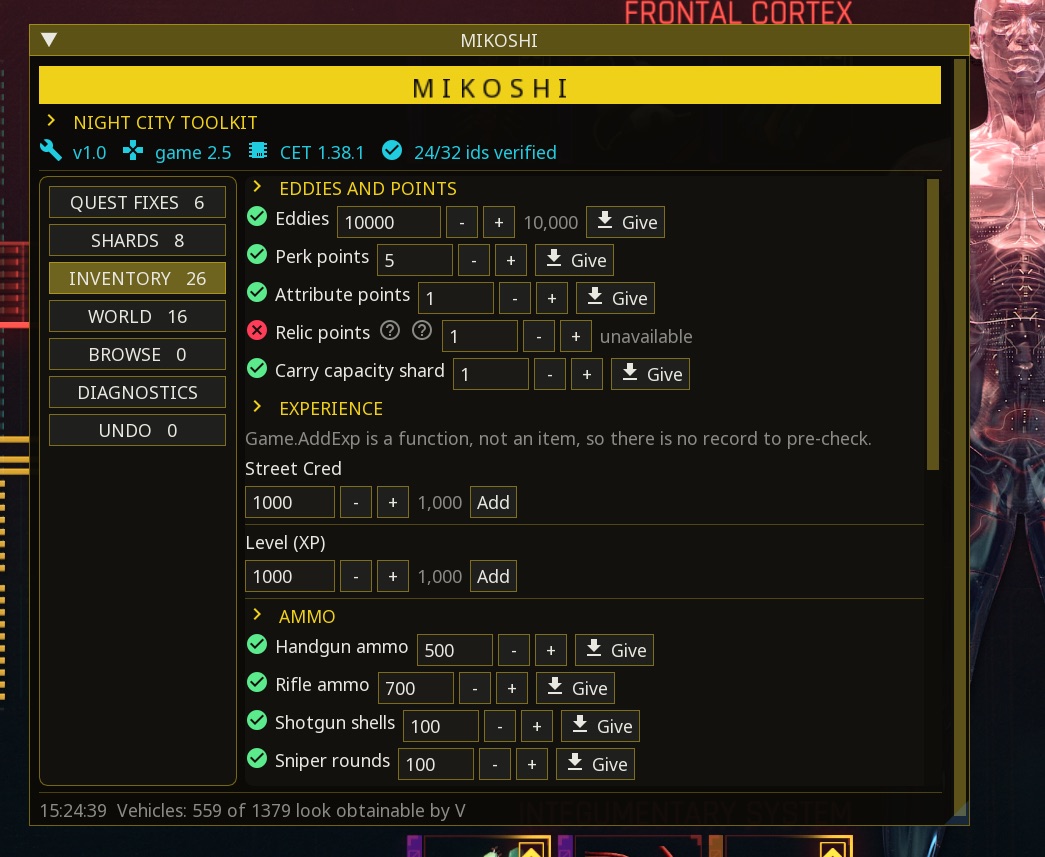
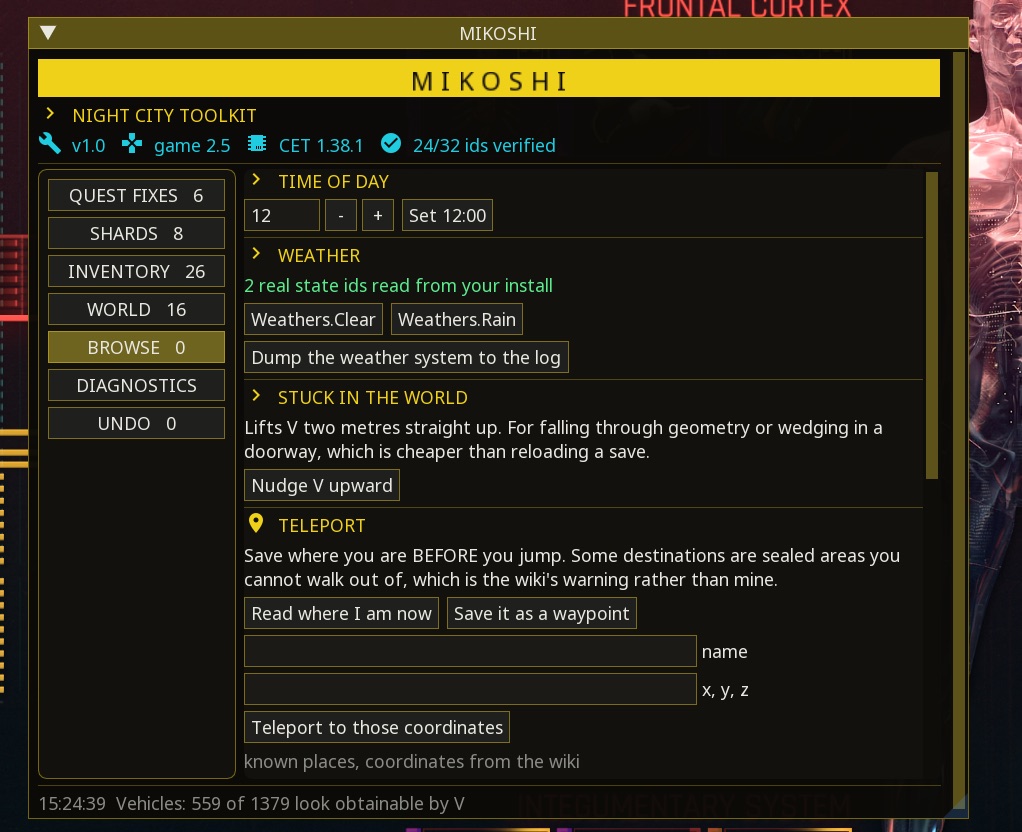
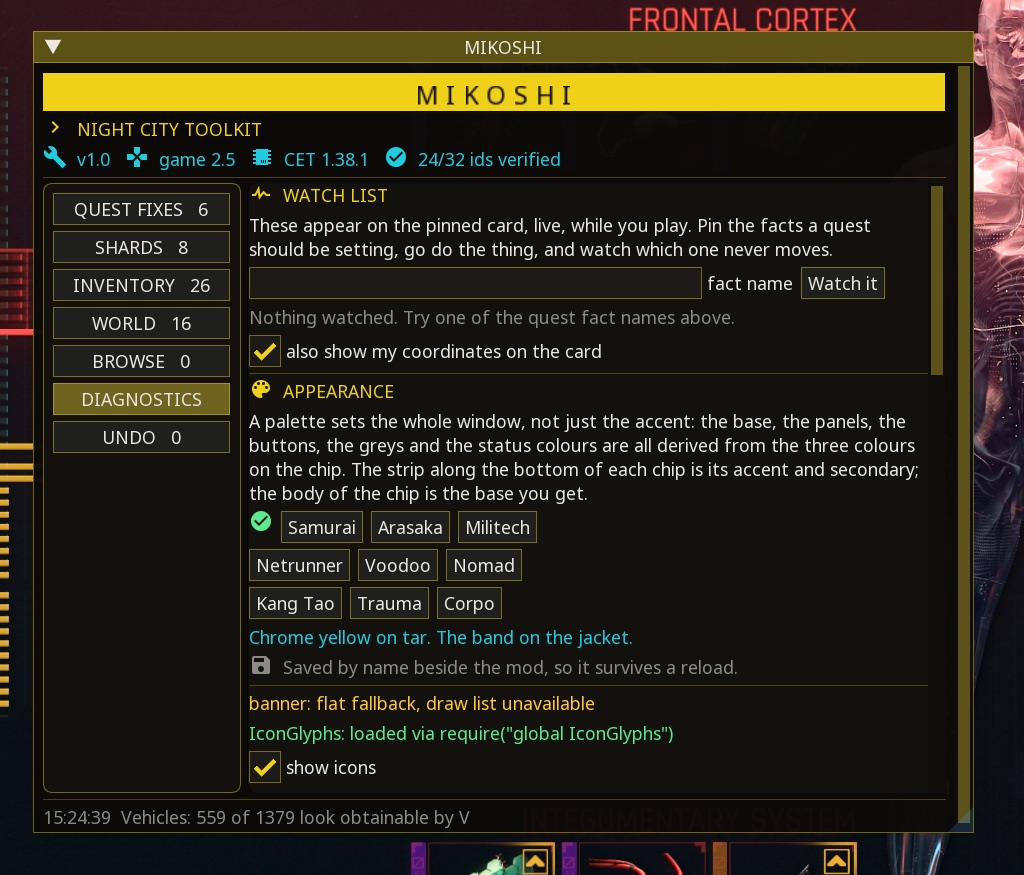
These were taken on 1.0, so the header reads 24/32 ids verified. The catalogue corrections in 1.0.1 bring it to 36 of 36; the panels are unchanged.
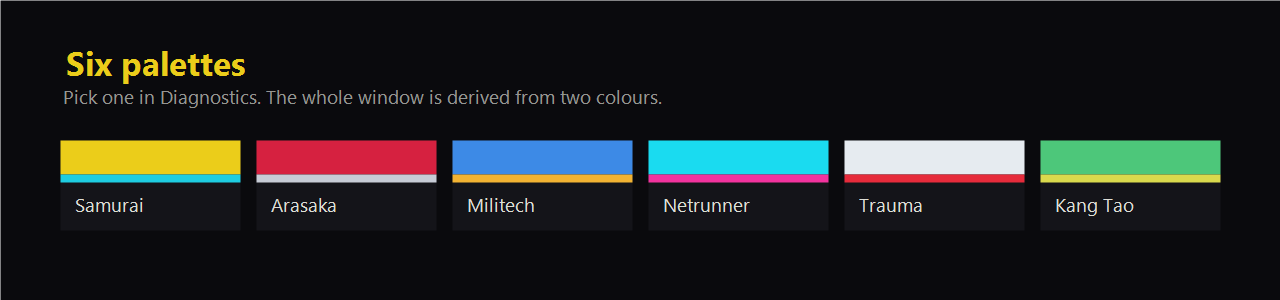
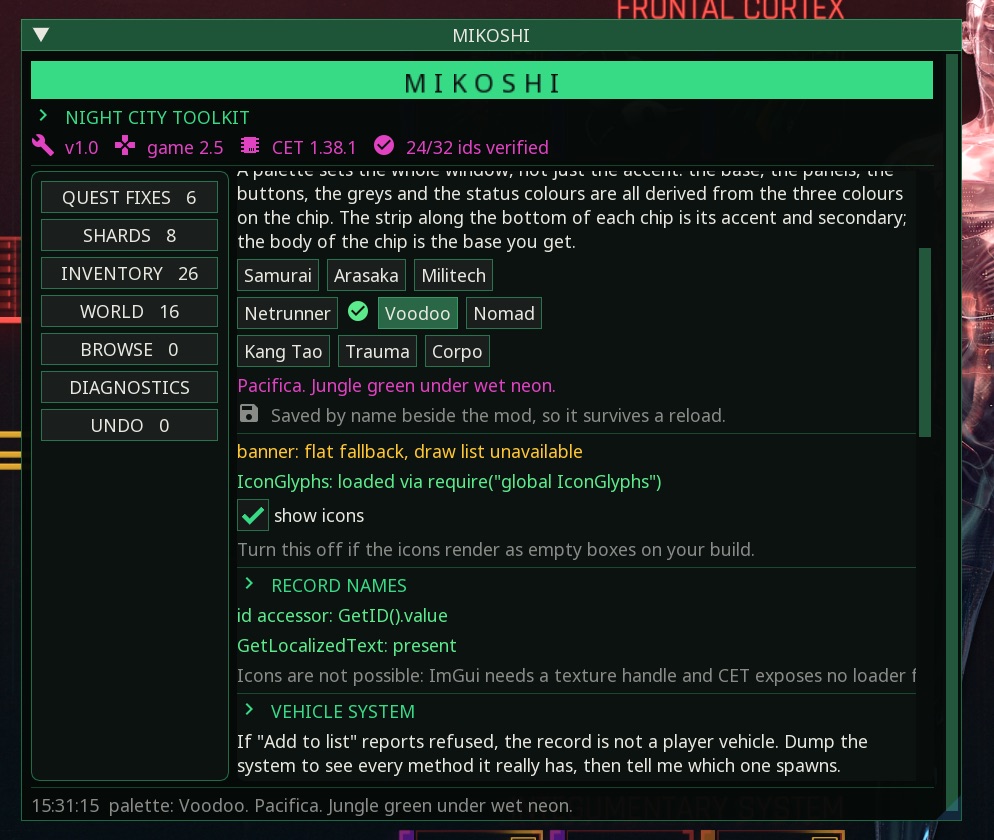
The same window in Voodoo: "Pacifica. Jungle green under wet neon."
What it deliberately will not do
Force-complete a quest, rewrite story facts, or teleport you somewhere you cannot leave. Each of those can break a run in a way an undo cannot reverse, so they are left out on purpose. The line is "can it break a run", not "does it help the player".
It also does not set the weather, and that one is not a choice: on 2.5 the game's weather system only exposes rain values, with no way to change the weather at all. The World tab shows what it does expose instead of a button that would do nothing.
Questions
How do I fix a stuck quest in Cyberpunk 2077 with Mikoshi?
Track the stuck quest in your journal, then open the Quest Fixes tab. Each known fix reads your save first: one that is already applied says nothing to do and cannot be pressed again, so you can tell a fix that worked from one that was never needed. For a cyberpsycho sighting that will not complete, the usual cause is a conversation shard that never spawned on the body, and the Shards tab gives it to you.
Which version of Cyberpunk 2077 does it work on?
It is built and tested on game 2.5 with Cyber Engine Tweaks 1.38.1 or later. Every id is checked against your running game when the mod loads, so anything your install does not recognise is greyed out and labelled instead of firing into nothing.
How do I install Mikoshi?
Install Cyber Engine Tweaks first, because Mikoshi is a Lua script that CET runs. Then unzip Mikoshi into your Cyberpunk 2077 folder, where it lands in bin\x64\plugins\cyber_engine_tweaks\mods\fixer, open the CET overlay and press Reload All Mods. No restart is needed. To remove it, delete that folder.
Can it break my save?
Every quest fact it writes is recorded with its previous value and can be put back from the Undo tab. Undoing a fact does not undo what the story already did with it, which is why force-completing quests and changing story facts are left out on purpose. As with any mod, make a manual save before changing quest state.
Why is a button greyed out?
Your install does not have that record. On a 2.5 install, for example, two of the shards are marked unavailable rather than offered, because a wrong id does nothing and would look like a fix that failed.
Is Mikoshi free?
Yes. It is free and open source under the MIT licence, and the source is on GitHub.
Built with
LuaCyber Engine TweaksImGuiTweakDBDetails
- Game
- Cyberpunk 2077 2.5
- Requires
- Cyber Engine Tweaks 1.38.1
- Version
- 1.0.1
- Licence
- MIT, open source
- Since
- November 2026
A fan-made mod. Not affiliated with or endorsed by CD Projekt RED. Cyberpunk 2077 is a trademark of CD Projekt S.A.